SRTWhisper

Version 1.2.1 — Gemini translation & first-run tour

Subtitles for any video,
right on your Mac.

Transcribe speech with Whisper, translate with on-device LLMs, Gemini, or GPT-5, polish in a built-in editor, and export — all running locally. Your files never leave your device.
Requires macOS 14 Sonoma or later · Apple Silicon recommended

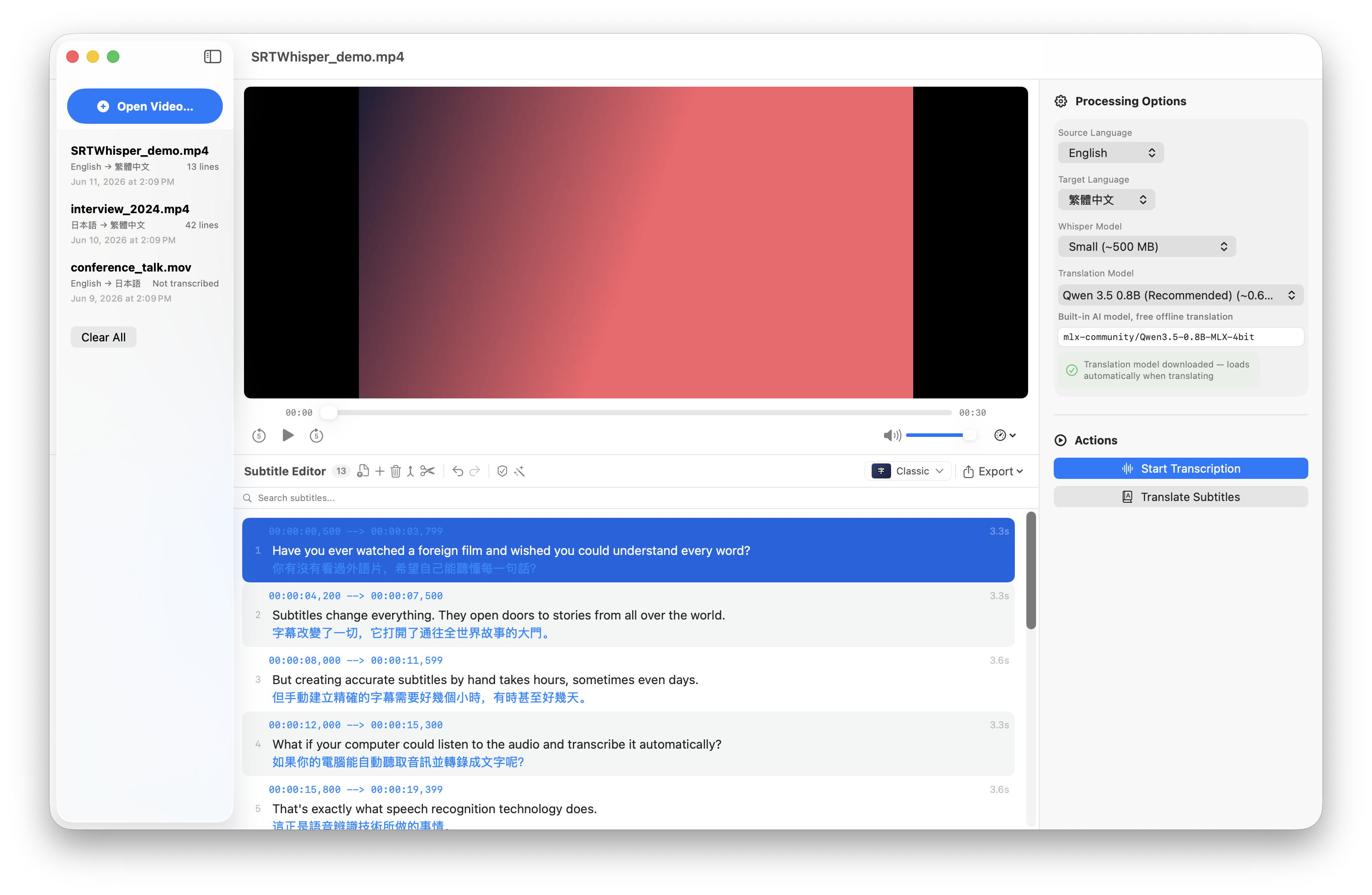
SRTWhisper workspace showing a video with synced subtitles

Bring your favorite engine

How it works

Three steps, one app

From raw footage to finished subtitles — no command line, no juggling tools.

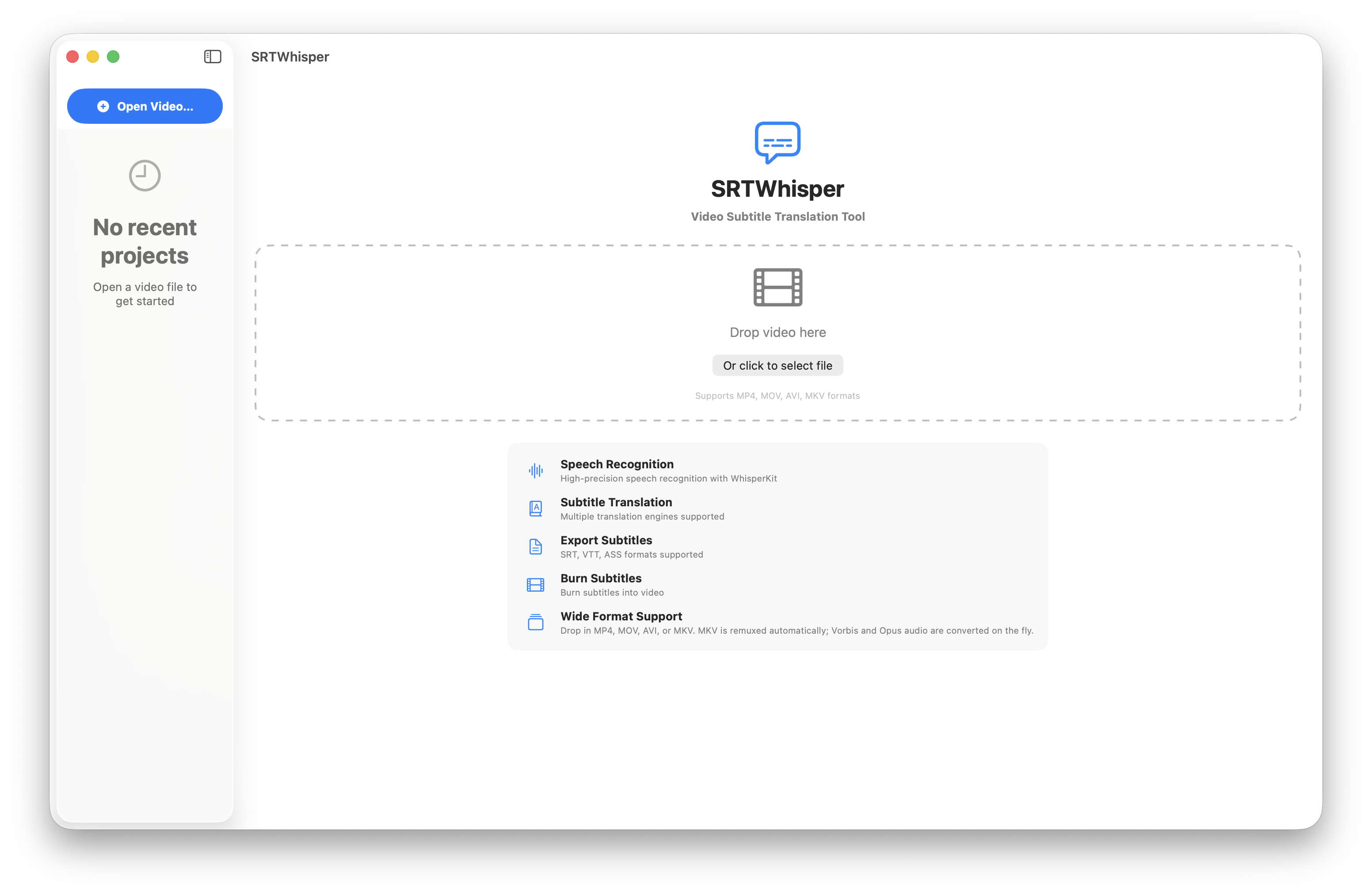
SRTWhisper home screen, ready for a video
SRTWhisper workspace transcribing and translating
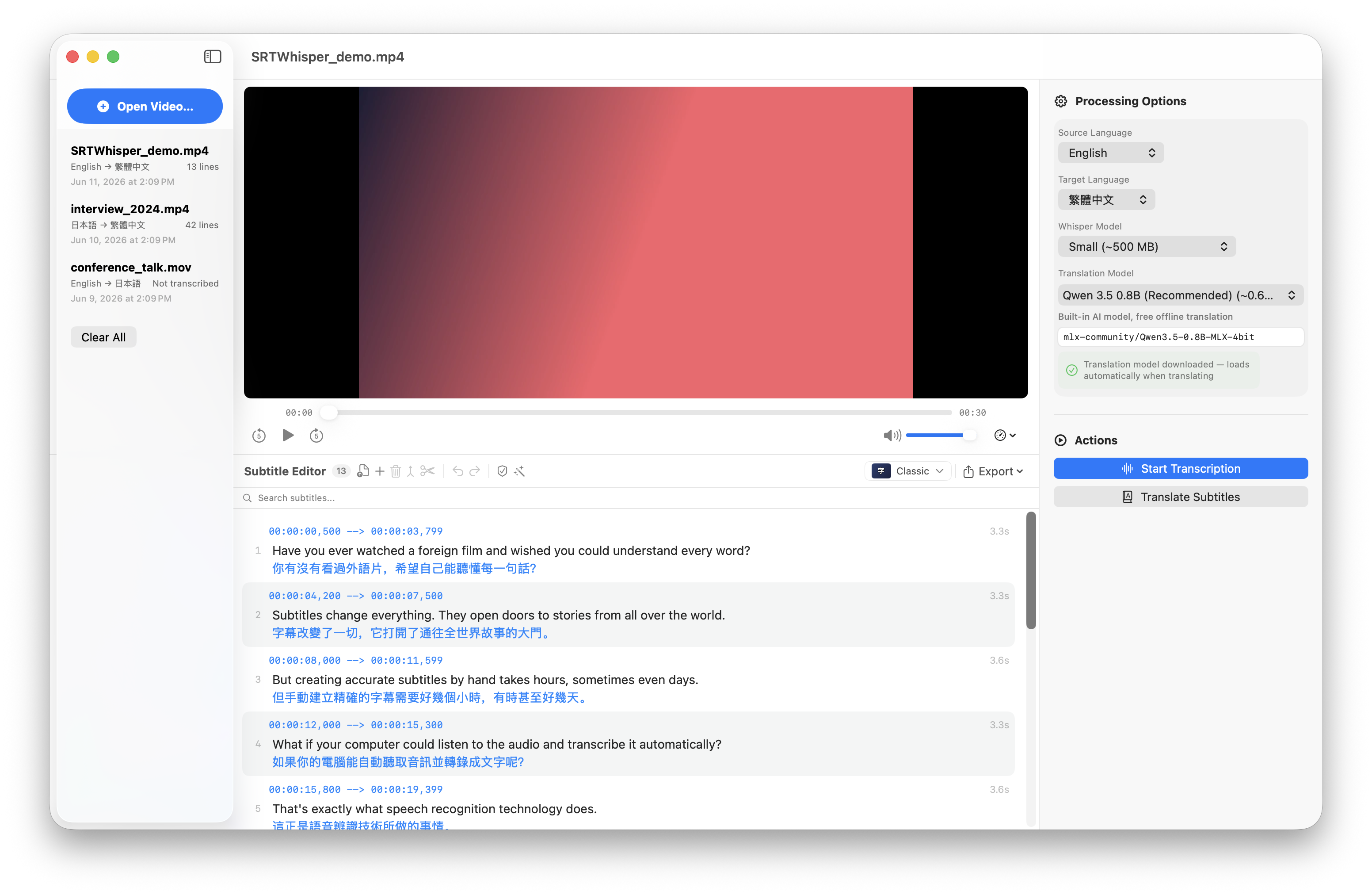
SRTWhisper subtitle editor
On-device speech recognition

Whisper, running on your own Mac

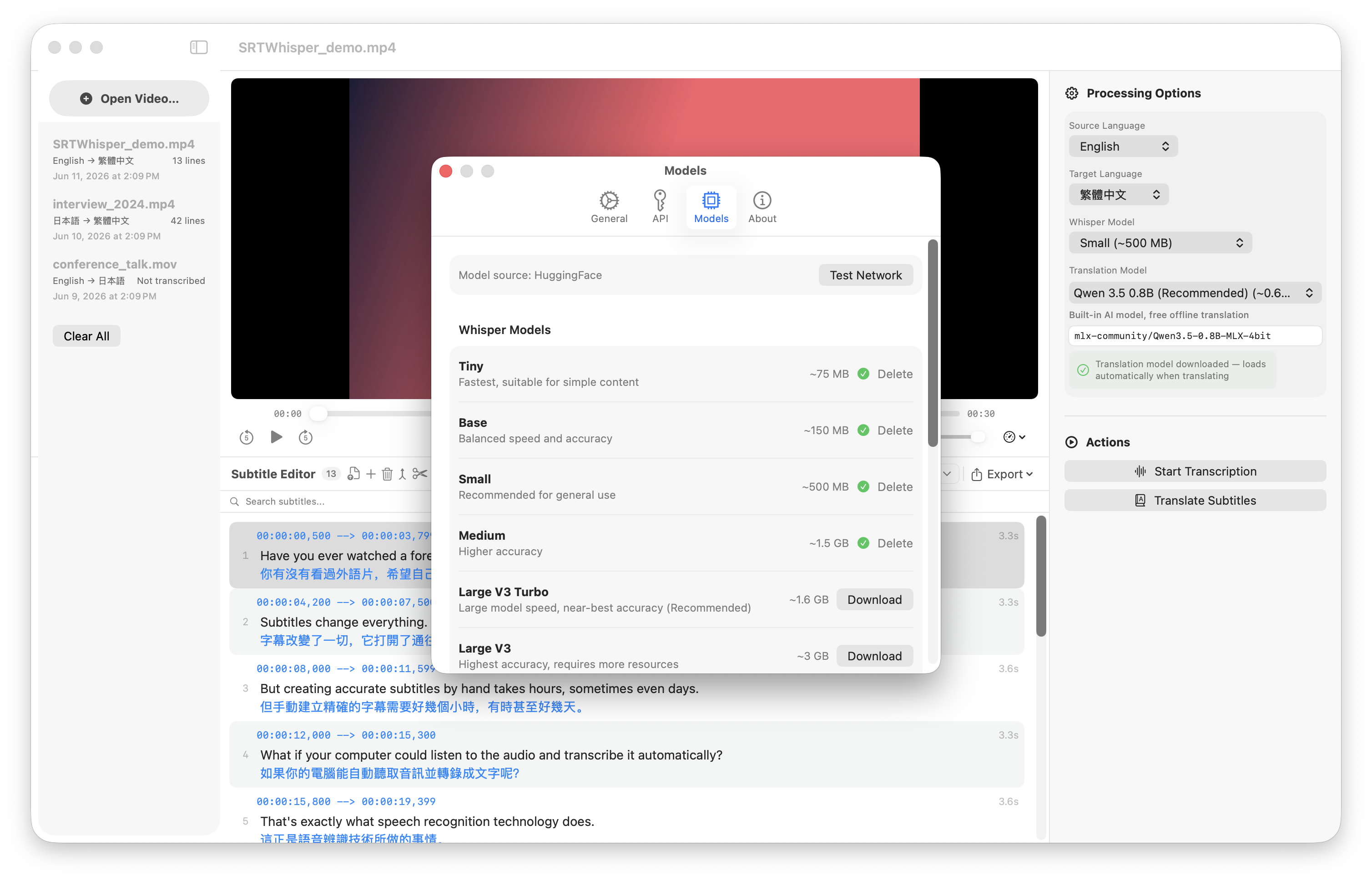
Powered by OpenAI's Whisper models through WhisperKit. Choose from seven model sizes — tiny through large-v3, including large-v3-turbo — to balance speed and accuracy. Auto-detect the language or set it yourself. Pre-download models from Settings with live progress, so the first transcription never keeps you waiting — and once a model is on disk, everything works completely offline.

Seven model sizesAuto language detectPre-download in SettingsOffline
Whisper model picker in SRTWhisper settings
Editor & quality checker

Play the video, perfect the subtitles

Whisper isn't perfect every time. Click any line to edit its text right in place, open a popover to tweak start and end times, and jump the video to any segment with one click. Add, delete, merge, or split lines as you go. A built-in quality checker flags overlaps, fast reading speed, and overly long lines, with one-tap fixes. Full undo and redo throughout.

Inline editingMerge / splitQuality checkerUndo / redo
SRTWhisper subtitle editor with original and translated text
Everything you need

From raw footage to finished subtitles

One app for the whole workflow — transcription, translation, editing, and export.

Speech recognition

Seven Whisper model sizes (tiny to large-v3) run locally through WhisperKit, with automatic language detection. Works fully offline.

Translation engines

On-device LLMs (Qwen 3.5, Gemma 4, Phi-4), Google Gemini, OpenAI GPT (GPT-5, GPT-4.1, o3), Ollama, or any OpenAI-compatible endpoint — all in one unified model picker.

Flexible export

Export to SRT, WebVTT, and ASS/SSA, or burn subtitles into the video — with custom font, size, color, outline, and position.

Quality checker

Automatically flags overlapping timestamps, fast reading speed, and overly long lines — with one-tap auto-fix for most issues.

Wide format support

Drop in MP4, MOV, AVI, or MKV. MKV is remuxed on the fly with a bundled LGPL FFmpeg; Vorbis / Opus audio auto-converts to AAC.

Quick to get started

A first-run tour walks you through the flow, translation models can be downloaded ahead of time in Settings, and the UI speaks English, Traditional Chinese, and Japanese.

Your videos stay yours

Speech recognition — and on-device LLM translation — run entirely on your Mac. No accounts, no usage tracking, nothing uploaded. SRTWhisper only goes online to download a model, or if you pick a cloud engine like OpenAI or Gemini for translation.

Ready to subtitle?

Download SRTWhisper and turn your next video into subtitles in minutes.