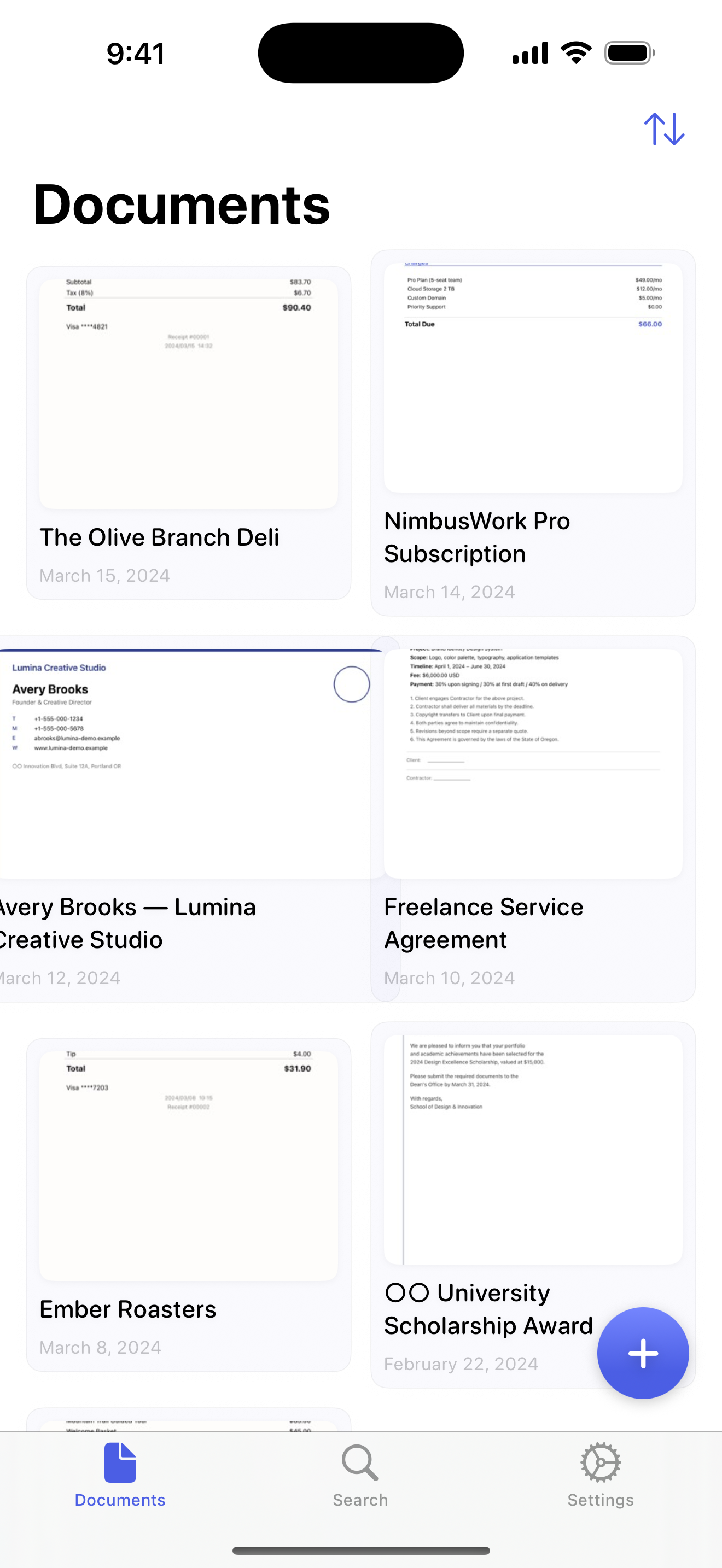
A searchable document library, table-aware OCR, and instant full-text search — all on device.
Scan receipts, invoices, and spreadsheets — Pocketext detects the rows and columns, keeps the table structure intact, and lets you export straight to CSV. 100% on-device. No subscriptions, no tracking.
A searchable document library, table-aware OCR, and instant full-text search — all on device.
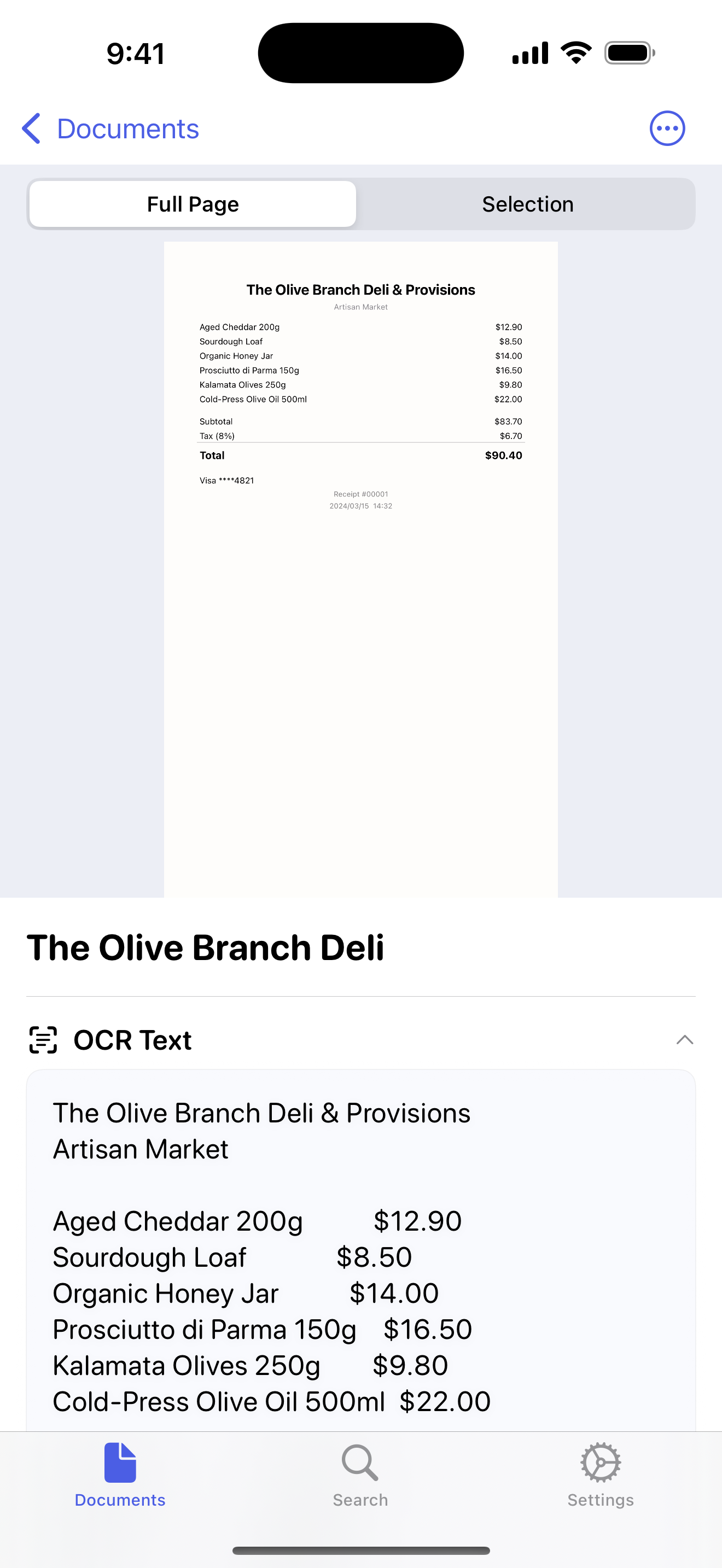
Most scanners flatten a receipt into a wall of text. Pocketext detects the rows and columns, keeps every amount aligned with its label, and rebuilds the table exactly as it appeared on paper.
Pocketext goes beyond plain text recognition — it reads tables row by row, detects what a document actually is, and pulls out the data that matters.
Detects rows and columns in receipts, invoices, and spreadsheets — preserving the table layout so figures line up and export cleanly to CSV.
Real-time edge detection, automatic perspective correction, and image enhancement. Batch-scan multiple pages in one session.
Text recognition powered by Apple Vision, with Live Text capture, handwriting detection, and confidence scoring.
Draw a box around any region to extract just the text you need — no need to scan the whole page.
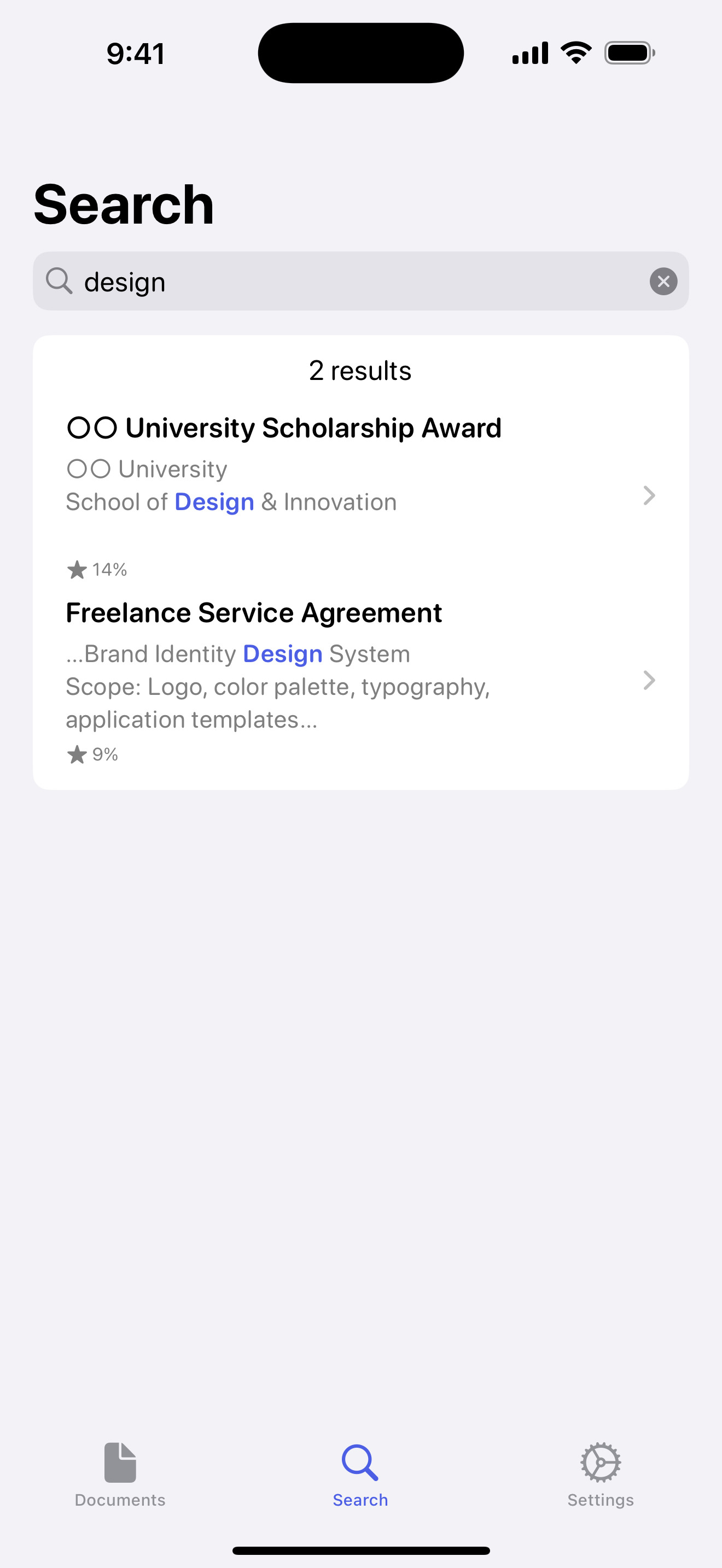
An FTS5 engine finds any document in milliseconds, with highlighted results, relevance ranking, and CJK segmentation.
Auto-classify receipts, invoices, contracts, and business cards. Extract dates, amounts, names, phones, and emails.
CSV for spreadsheets, vCard for contacts, Markdown for notes, and PDF for sharing — your data, your format.
Your documents stay in sync across every device, in your personal iCloud — never on our servers.
Full OCR and interface support for English, Traditional Chinese (繁體中文), and Japanese (日本語).
Point your camera, drop in a file, or import a folder. Edges are detected automatically.
On-device OCR reads the text and identifies the document type, fields, and key values.
Search across everything instantly, then export to CSV, vCard, Markdown, or PDF.
Pocketext is built with zero third-party code. Every byte of OCR happens on your device.
No subscriptions · No in-app purchases · No ads
No. All OCR processing happens 100% on your device. Internet is only used if you turn on optional iCloud sync.
No. Pocketext is a one-time purchase with no subscriptions and no in-app purchases. Every feature is included.
English, Traditional Chinese (繁體中文), and Japanese (日本語) — for both OCR recognition and the interface. Simplified queries also match Traditional-indexed content.
PDF, JPEG, PNG, HEIC, and TIFF. On Mac you can drag and drop files or import entire folders.
Locally in the app's sandboxed container. If you enable iCloud sync, they also sync to your personal iCloud account — we never have access to your data.
macOS 14.0 (Sonoma) or later, and iOS 17.0 or later.
Turn your Mac and iPhone into a private, searchable document vault.