Touch becomes timbre
Your X–Y position continuously blends all four corner instruments.
iOS instrument · AUv3 plug-in
Contour turns neural timbres into terrain you can touch. Move through a field of instruments, cross measured contour lines, and shape evolving pads, drones, and textures with a single gesture.

Most synthesizers ask you to build a sound one parameter at a time. Contour gives you a landscape instead. Four distinct neural instruments occupy the corners of each sheet; every point between them is a continuous blend.
Touch the map to sound a note. Move your finger to travel through timbre. The ribbon beneath the terrain controls pitch, while the size of your touch shapes dynamics. Hold a location to leave a mark and return to it later.
Your X–Y position continuously blends all four corner instruments.
A wider contact opens the sound without adding another control.
Drop marks on useful locations and build a personal map of sound.

Behind the terrain
Contour is powered by compact neural decoders trained on instruments from the NSynth dataset. The network supplies the evolving spectral character; a real-time harmonic-plus-noise engine turns that description into responsive audio.
Each corner holds a different learned instrument. The decoders respond to pitch and loudness 250 times per second.
Your position becomes four blend weights. Harmonic energy, filtered noise, and amplitude move together without preset jumps.
A bank of 60 harmonics and 65 noise bands reconstructs the sound, then ADSR and spatial processing shape the result.
The neural network runs on a dedicated control path while audio rendering stays on the real-time thread. Control frames are interpolated between updates, and touch motion is adaptively smoothed to reduce hand jitter without making fast gestures feel delayed.
Every line is generated from the sound the four decoders actually produce. Spectra are projected into a perceptual space, distances are measured, and the result is drawn as terrain. Cross a contour and the timbre has changed by a known amount.
Eleven distinct landscapes
Each factory sheet combines four complementary instruments and is named after one of Taiwan’s high mountain traverses. Together they span bright, contrasting, breathy, deep, and wide-ranging families of sound.

Build your own terrain
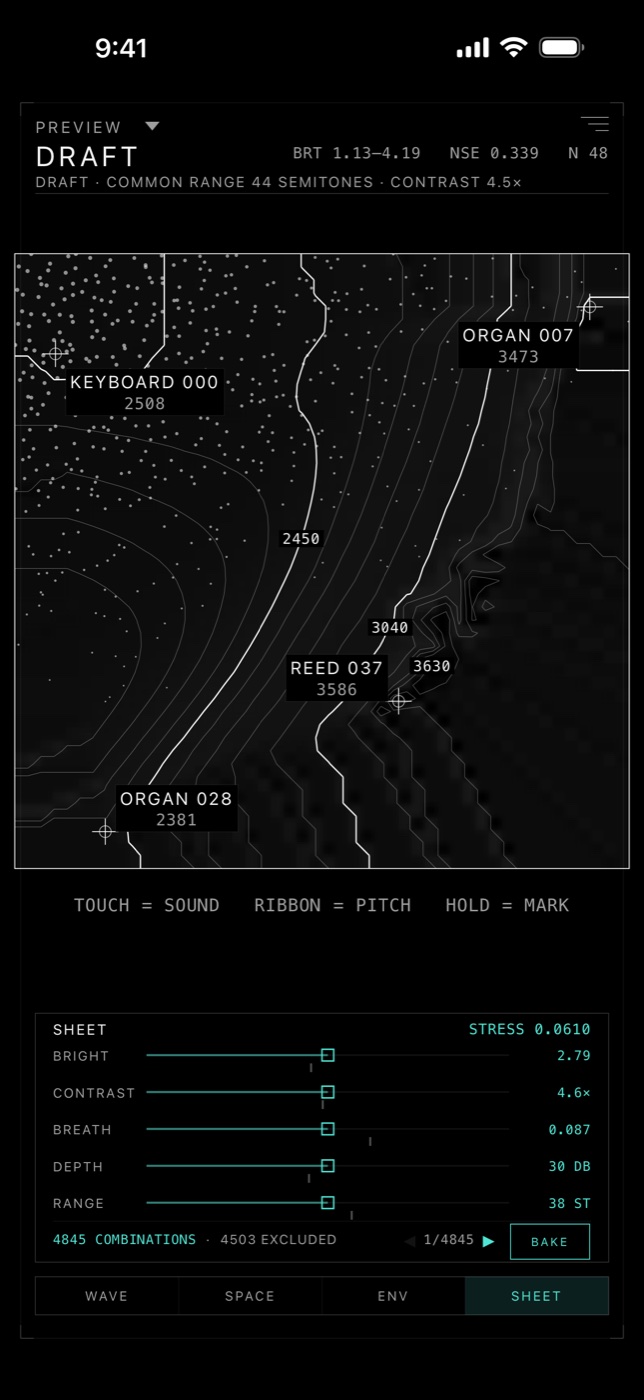
Set five musical intentions—brightness, contrast, breath, depth, and range. Contour searches 4,845 valid four-corner combinations, shows where the result compromises, and bakes a new playable map.
Move five focused controls instead of browsing hundreds of presets.
Hear each candidate as you move, and see the match, stress, shared pitch range, and excluded combinations.
Your sheet is saved on-device and is available inside the Audio Unit.
The same instrument, inside your music
Contour installs as an AUv3 instrument and works in hosts including Logic Pro for iPad, GarageBand, AUM, Cubasis, and Drambo. Play it from MIDI or with a finger on the plug-in's own map, recall sheets with your session, and automate map position as two continuous parameters.
Start without a time limit
A complete instrument for exploring, performing, and working in an AUv3 host.
Unlock the complete atlas and the tools to capture and design your own terrain.
Requires iOS 16 or later · Designed for iPhone and iPad
CONTOUR / NONO.TODAY