TitleCue icon

Turn Final Cut titles
into subtitles.

Final Cut Pro can’t export your on-screen Title cards as subtitles. TitleCue can — to SRT, VTT, TTML, iTT, TXT and CSV, and back to FCPXML.

Native macOS · Fully on-device · No account, no tracking

SRTWebVTTTTML / DFXP iTunes Timed TextTXTCSV

TitleCue ⚠ 1 needs attention
1
00:00:01,000 → 00:00:04,000 · 3.0s
Welcome to TitleCue
2
00:00:05,000 → 00:00:09,000 · 4.0s
Convert the title cards Final Cut can’t export
3
00:00:14,000 → 00:00:14,300 · 0.3s Too fastToo short
A cue that’s too fast and too short gets flagged automatically
4
00:00:19,000 → 00:00:22,000 · 3.0s subtitle
This is the original line
And its translation, stacked

See it in action

A real, native macOS app — drag in, preview, export.

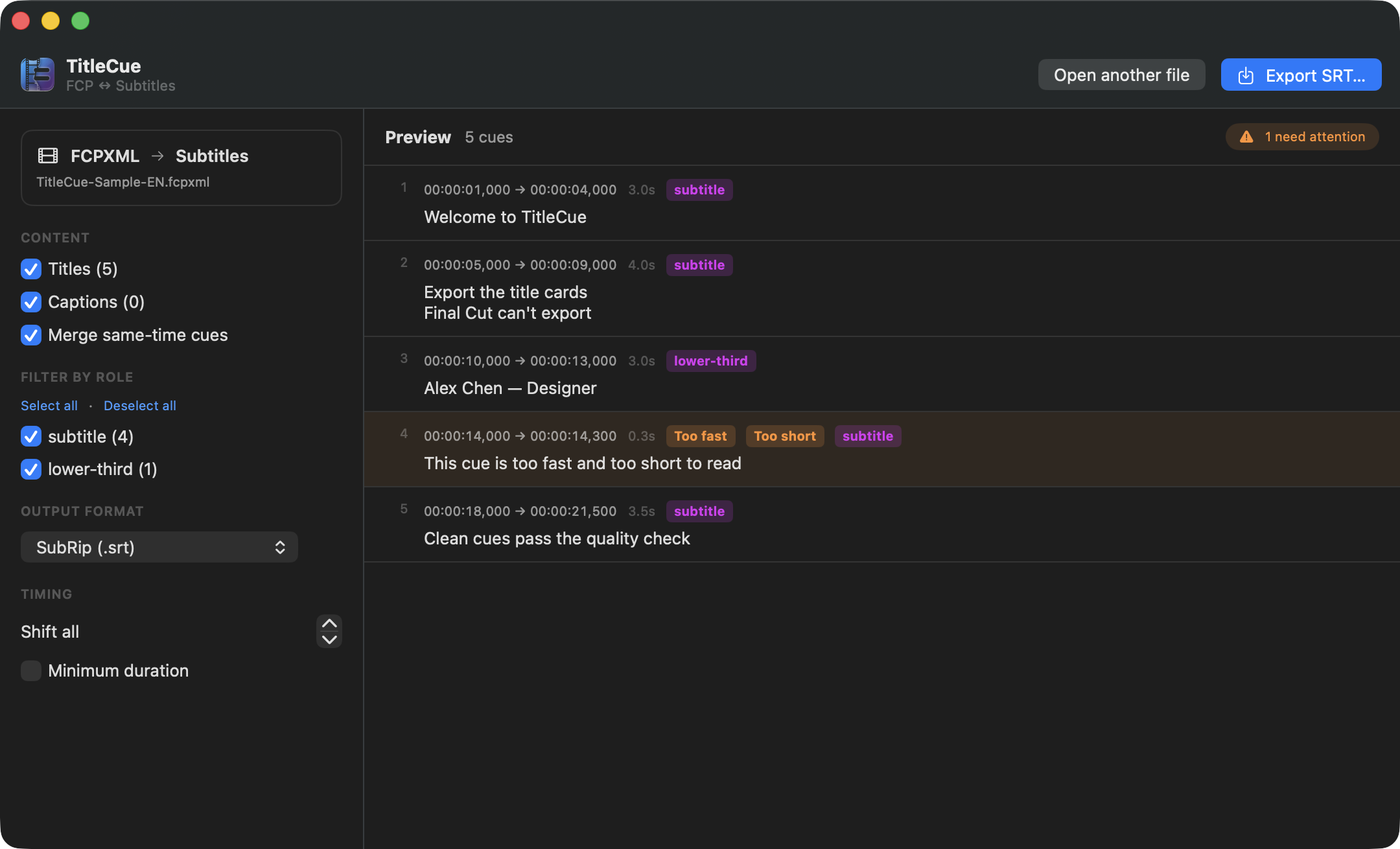
TitleCue converting Final Cut titles and captions into subtitle cues with quality checks
FCPXML → subtitles. Extract Title cards and captions, filter by role, and catch reading-speed and timing issues before export.
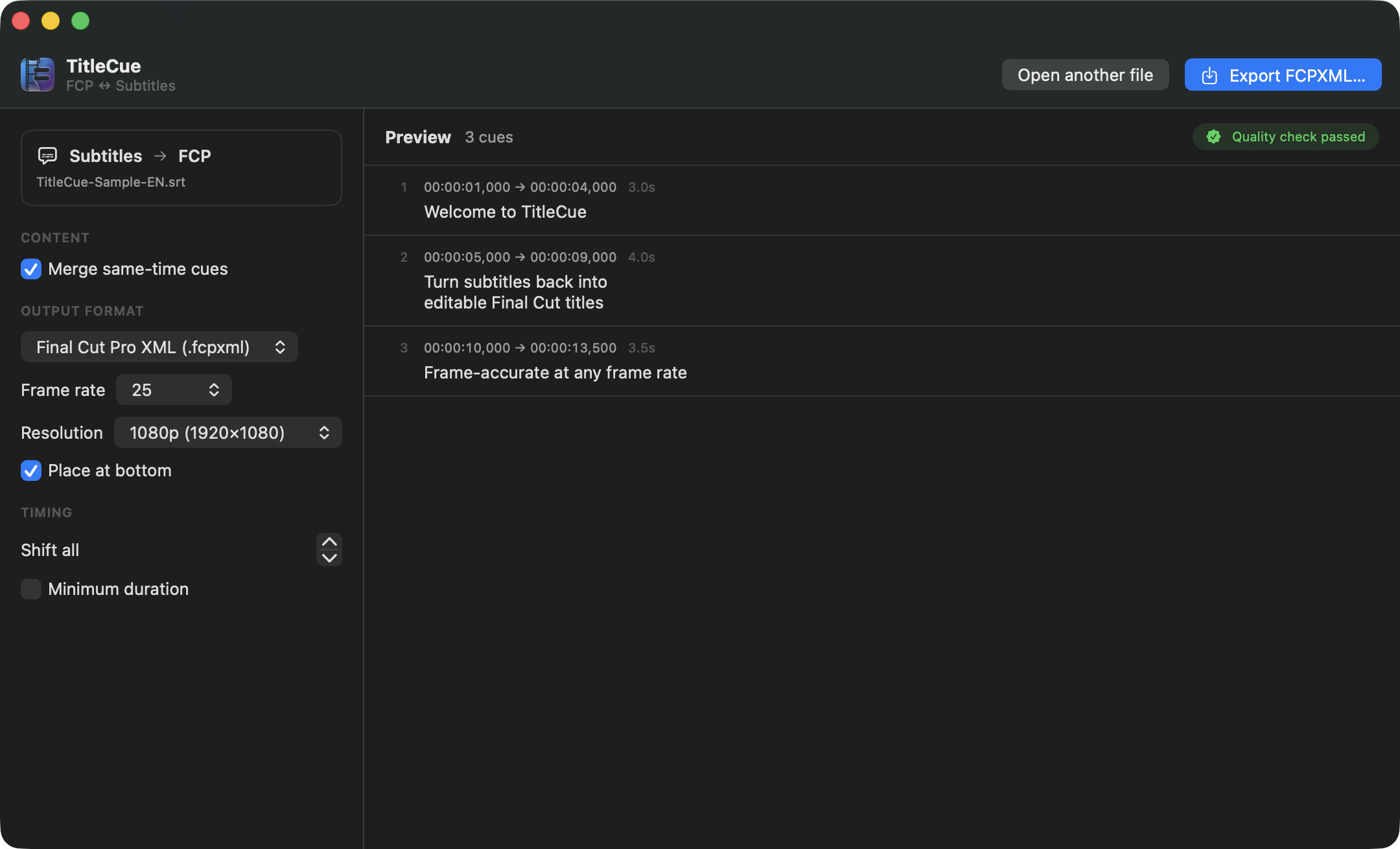
TitleCue turning subtitle files back into editable Final Cut Pro titles
Subtitles → FCPXML. Turn SRT, VTT or a bilingual CSV back into editable Final Cut Pro titles, frame-accurate at any rate.

Built for real subtitle work

The details Final Cut and cheap converters skip.

🎬

Titles, not just captions

Extracts on-screen Title cards — the ones Final Cut has no way to export — plus real closed captions and compound clips.

🔁

Both directions

FCPXML → subtitles, and SRT / VTT / CSV → editable Final Cut titles. Frame-accurate at any frame rate.

✅

Quality checks

Flags reading speed (CPS), too-short cues, over-long lines and overlaps — with one-click timing fixes.

🌐

Every delivery format

SRT, WebVTT, TTML/DFXP, iTunes Timed Text, plain text, and a bilingual CSV for translators.

🎭

Role filtering

Keep only the titles you actually use as subtitles — filter out lower-thirds and decorative text by role.

🔒

Private by design

Everything runs on your Mac. No uploads, no account, no tracking. Sandboxed and notarization-ready.